
Check the foundations
Review measurement coverage, data quality and tracking requirements across GA4 and Google Tag Manager.
Measurement & analytics
Build a reliable view of search performance. Connect Search Console, analytics and implementation evidence to the decisions your team needs to make.
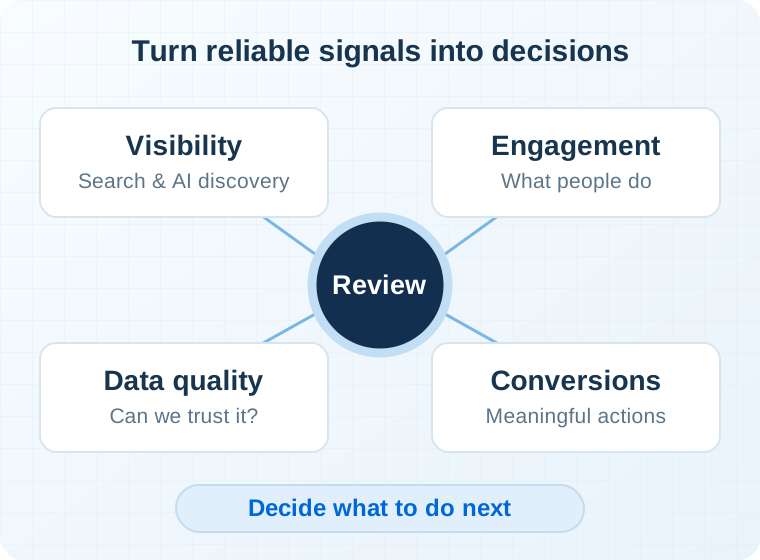
Where I focus
Begin with the decisions the reporting must support, then check the data and define the indicators that matter.
Review measurement coverage, data quality and tracking requirements across GA4 and Google Tag Manager.
Use Search Console and other relevant evidence to investigate visibility, page performance and changes over time.
Create KPI definitions and reporting structures that explain what happened, what is uncertain and what to investigate.
Inside the work
A report is useful when the team understands the question, the source and the action the evidence can support.
Agree what the business needs to learn and how a meaningful action is recognized. Distinguish an interaction, such as opening a form, from completing the intended task.
Review how the event is triggered and which parameters are sent. Use controlled checks to identify missing, duplicate or misleading signals before relying on the report.
Document metric definitions, source limitations and relevant website changes. Build a view that helps the team decide whether to investigate, fix measurement or change the website.
Typical deliverables
The objective is useful evidence. A measurement framework should make its assumptions and limits visible so teams can use the data responsibly.
Research & insights
Explore the measurement questions around AI search and how to approach observations with useful context.
Read the articleA connected approach
Technical systems, content, markets and measurement affect one another. Where the evidence points to another area, the roadmap should connect them.
Explore all expertiseBefore we begin
Agreeing definitions and checking collection prevents avoidable confusion later in the project.
They measure different parts of the journey. A Search Console click is a search interaction; an Analytics session describes activity collected on the website. Time zones, tracking behavior and other reporting differences also matter. Reconcile the definitions and scope before treating a difference as a fault. Google explains the comparison.
Define the expected behavior, reproduce it and inspect the event and parameters in the relevant testing tools. GA4 DebugView can support this check when debug mode is enabled. Repeat key scenarios, including unsuccessful actions, before relying on the measurement. Read about DebugView.
Not necessarily. The first question is whether the data and definitions support the decisions you need to make. A focused correction, clearer segmentation or a documented reporting limitation may be more useful than starting another dashboard from scratch.
A useful next step
Share the questions your current reports cannot answer and the tools you use today.